Full article
Full text of the AI BriefWire opinion piece.
By Andrei Ordzich
I have been following the latest Codex updates with real interest, not just as another AI news item, but as someone who actually wants to build practical browser-based dashboards for real systems.
My main interest is not “AI for writing code” in a general sense. I am more interested in what happens when AI becomes part of the real development workflow: opening the app, checking the browser, reading console errors, understanding network requests, helping with layout problems, and improving the product step by step.
That is why the recent Codex updates caught my attention.
For me, the most interesting direction is browser work. I am planning to build modern dashboards that take live data from AI devices and display it in a clean, beautiful, and useful way. These dashboards should show real-time events, device status, alerts, analytics, and maybe even 3D visualizations. This is not the kind of project where a simple code suggestion is enough. The final result has to work in the browser, look good, and stay fast when live data starts coming in.
Developer Mode feels like a serious step forward
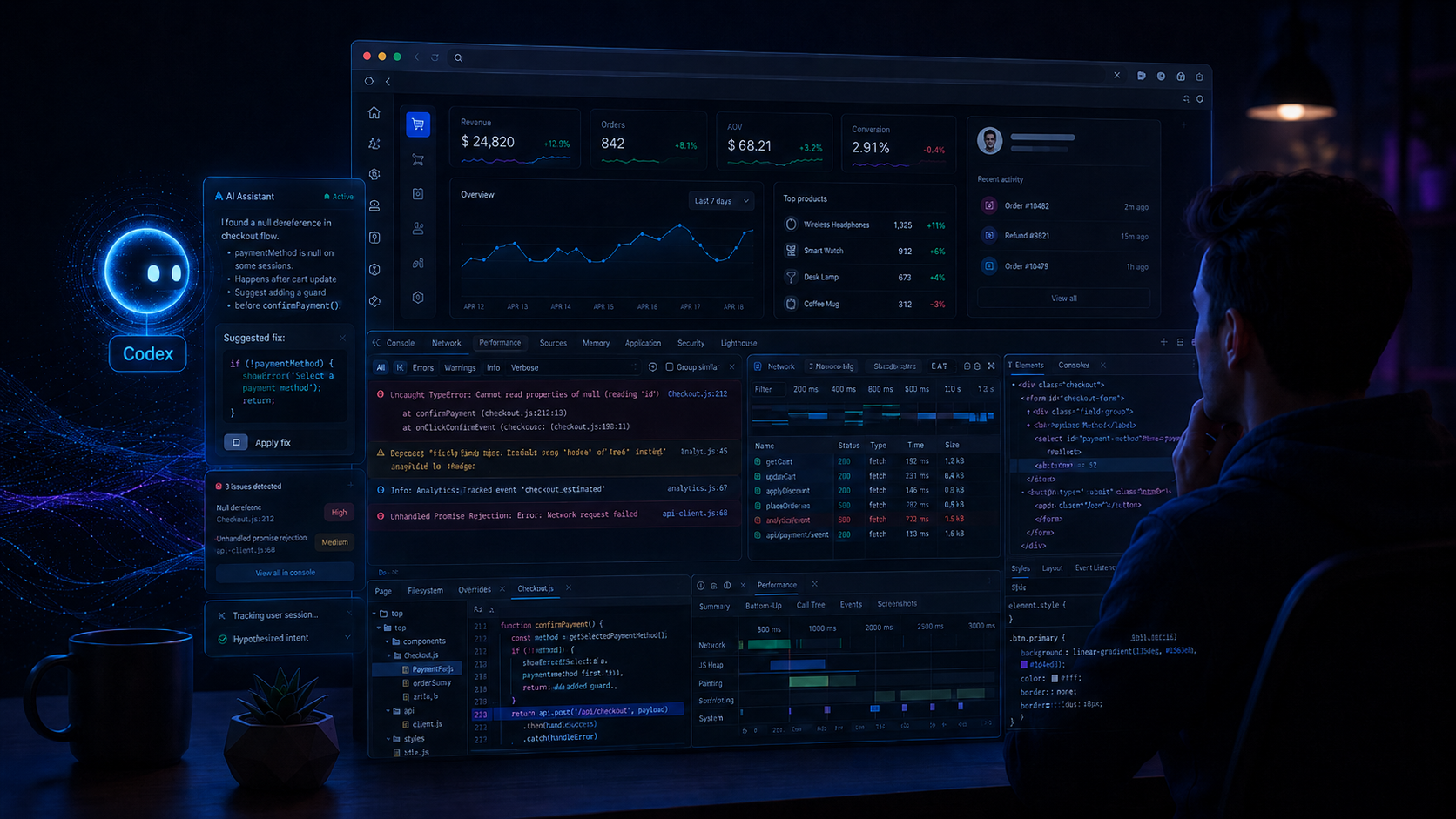
The feature I like most is Developer Mode for Browser Use.
This is exactly the type of improvement I was waiting for. When I work with browser dashboards, many problems are not obvious from the source code alone. The issue may be in the console, in a failed API request, in WebSocket behavior, in the DOM, or in performance.
Before, the workflow was more manual. I had to open DevTools myself, check the console, look at the Network tab, copy errors, explain them to the assistant, then go back and test again. It worked, but it was not a smooth process.
Now Codex is moving closer to the real debugging workflow. It can help inspect what is happening inside the browser, not only inside the code editor. For dashboard development, this is a big difference.
For example, if a live dashboard stops receiving events from an AI device, I do not want only a generic answer like “check your WebSocket connection.” I want the assistant to look at the actual page, inspect the network traffic, see if the connection is open, check the payload, read console errors, and help me find the real reason.
That is where Codex becomes much more useful.
This helps a lot with real-time interfaces
Real-time dashboards are difficult because they are always moving. Data changes, events arrive, charts update, tables refresh, and the interface has to stay responsive.
A small problem can quickly become annoying:
the event card does not appear; the WebSocket reconnect logic is broken; the map marker updates too late; the chart becomes slow; the 3D scene starts to lag; the layout breaks on a smaller screen; one API request fails and the whole panel looks empty.
These are very practical problems. They are not abstract programming exercises. They happen inside the browser while the application is running.
This is why improved Browser Use and Developer Mode are so important to me. They make Codex more useful for the kind of work I actually want to do: not just writing components, but testing and improving the full dashboard experience.
I also like the direction of plugins and MCP servers
Another thing I like is how Codex is becoming more connected through plugins and MCP servers.
For my type of project, this matters a lot. A serious dashboard is not only frontend code. It needs documentation, browser testing, backend APIs, real-time data, analytics, maybe GitHub, maybe design tools, and later maybe even custom integration with AI devices.
I already see how this can help. For example, a browser debugging tool can help Codex understand what is wrong in the UI. A documentation tool can help it use the latest libraries correctly. A Node.js tool can help test data transformations. Later, a custom MCP server could give Codex access to device events, camera status, or test data from an LPR system.
That is an interesting direction. It means Codex can become more than a code assistant. It can become a development partner connected to the actual tools around the project.
The /init command is also useful
I also like the new /init workflow because project context is always a problem.
When a project grows, you repeat the same information again and again: the stack, folder structure, coding style, API conventions, UI rules, deployment approach, and so on.
For my dashboard projects, I want Codex to understand from the beginning that the application is about real-time AI-device data, browser visualization, dashboard UI, performance, and clean architecture. If /init helps create proper project instructions, then every new chat becomes more useful.
This is especially important because one chat usually does not contain the whole story of the project. Good project instructions can reduce confusion and make Codex more consistent.
Browser-based debugging is what makes this update practical
What I like about these updates is that they are not only flashy features. They solve real workflow problems.
When building browser dashboards, I need to see the result, test it, break it, fix it, and repeat. The faster Codex can participate in that loop, the more useful it becomes.
For me, the ideal workflow looks like this:
I build a dashboard screen, run it locally, open it in the browser, and ask Codex to check what is wrong. It inspects the console, network requests, layout, performance, and then suggests a fix. After that, it updates the code and tests again.
This is exactly the kind of workflow I want for projects with live AI-device data.
My overall impression
My overall impression is positive. Codex is becoming more practical.
It is still not something I would blindly trust with everything. I still want to review the code, check the changes, and control what happens in my project. But the direction is very good.
For me, the biggest value is not that Codex can write more code. The real value is that it can better understand the running application.
That is a much bigger deal.
When working on browser dashboards, especially dashboards that show real-time data from AI devices, the browser is where the truth is. If Codex can work better inside that environment, then it becomes much more useful for my real work.
I see these updates as a step toward a more natural development process: less copying errors manually, less guessing, fewer disconnected conversations, and more direct help with the actual application on the screen.
For my future 3D and real-time dashboards, this is exactly the kind of improvement I wanted to see.